Security
Security
In the On-Premise edition, logging in with the Administrator account provides access to the Security page. Security management encompasses Access Control Lists (ACL), API token generation, and Administrator ACL rules.
Access Control List (ACL)
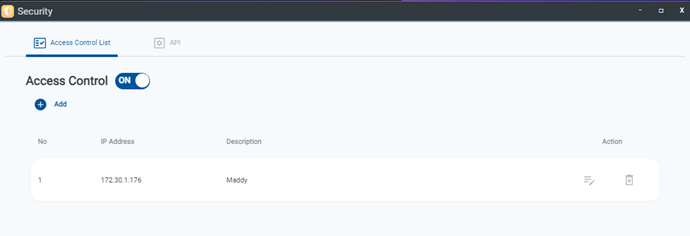
Adding IP addresses to the Access Control List (ACL) ensures that only authorized IP addresses within designated networks can access the OOS Controller interface.
- Click the Add button.
- Enter the IP Address and a brief description.
- Click the Save icon.
- Toggle on Enable Access Control.
API Token Management
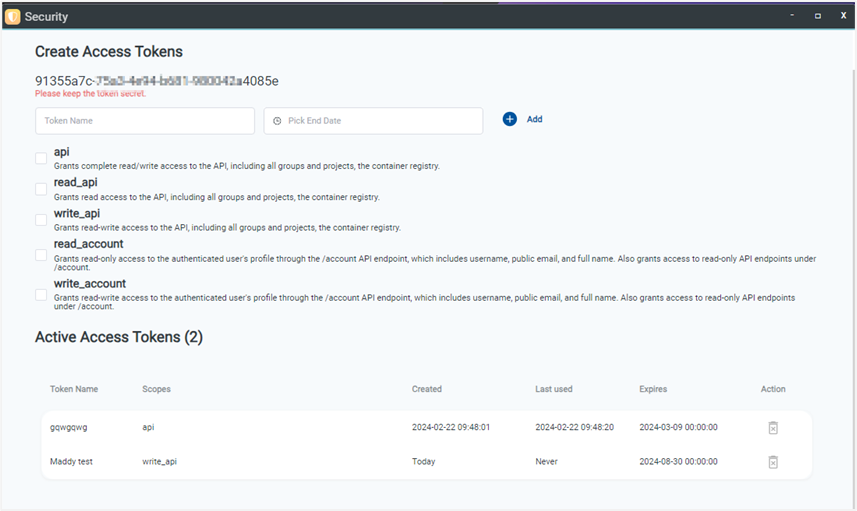
The API page enables generating API tokens for third-party integration platforms requiring access to OOS Controller data. The operation scope is governed by user account permissions, with customizable permission types and expiration dates. Once created, the system generates a unique token that must be saved securely by the administrator.
- Type the Token name and select an expiration date.
- Select the required API scopes.
- Click the Add button.
- Copy and securely store the generated token.
Admin ACL
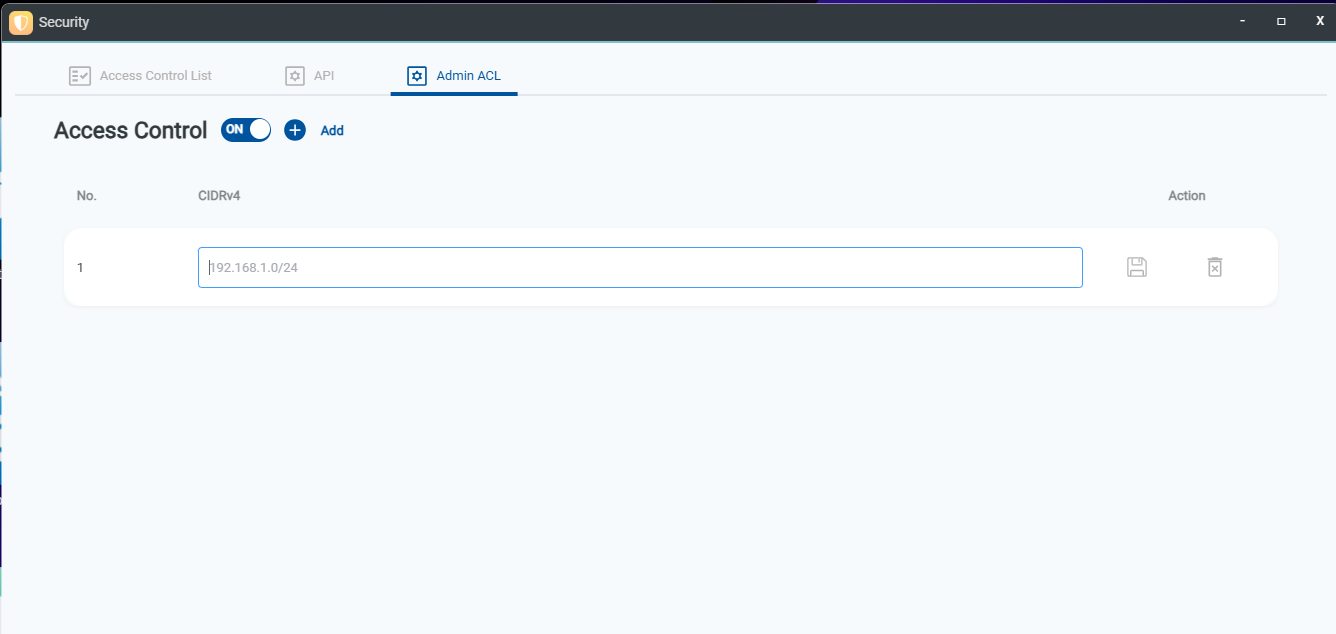
Admin ACL restricts Administrator account login access by applying CIDRv4 network rules. This ensures that only users connecting from specified subnet ranges can log in to the management controller, enhancing security against unauthorized access attempts.