oos-controllerVersion 1.2
Clients
Clients page displays all connected clients, allowing administrators to block clients via blacklist or temporarily unlink connections.
This page displays all clients connected to the devices, allowing administrators to add clients to the blacklist or temporarily unlink clients connected to the device.
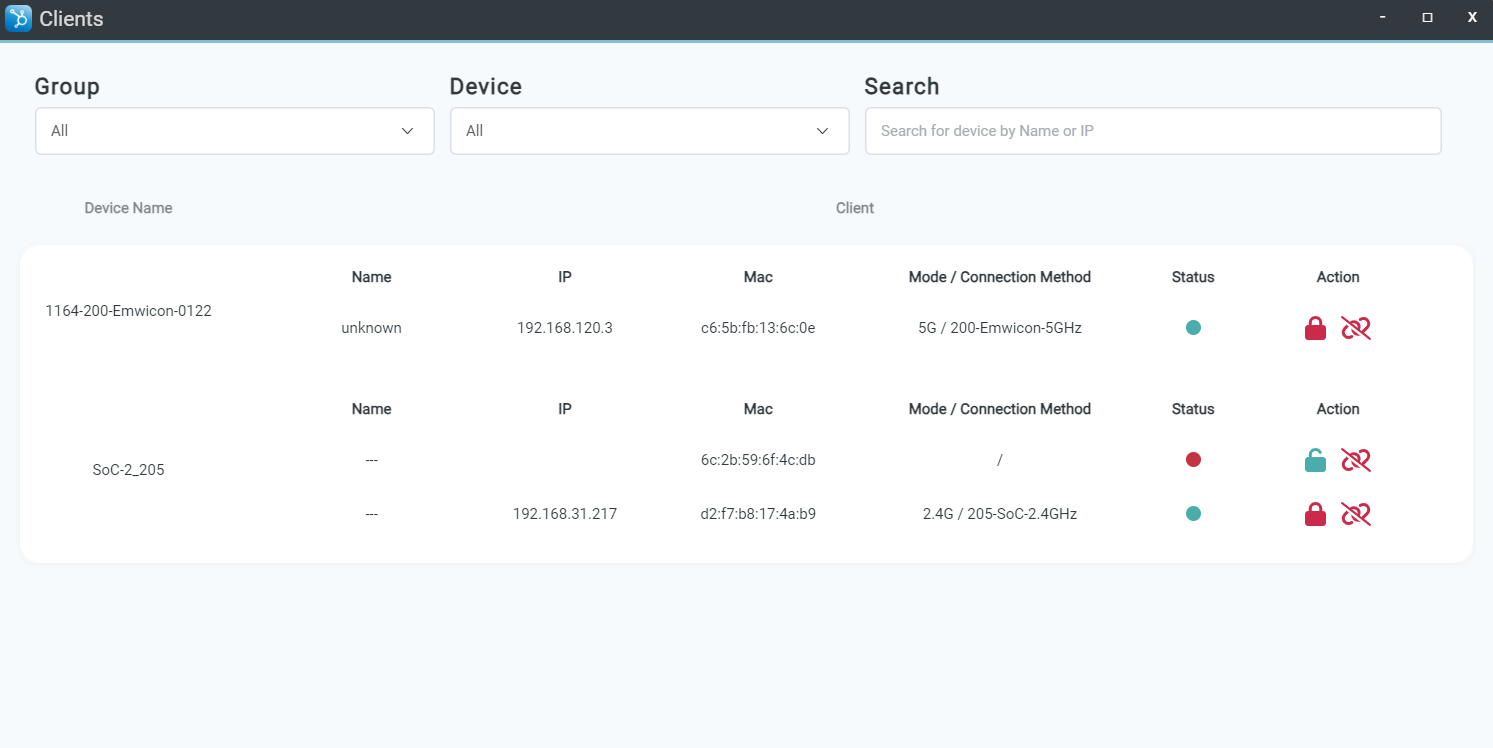
Status and action indicators are described in the following table:
| Category | Item / Icon | Description |
|---|---|---|
| Status | Unlock | Unlocked: Client connection and access are allowed. |
| Status | Lock | Locked: Client connection and access are restricted. |
| Action | Add to Blacklist | Add the specified client to the blacklist to block access. |
| Action | Remove from Blacklist | Remove the specified client from the blacklist to restore access. |
| Action | Unlink / Uplink | Temporarily unlink or reconnect the specified client. |