oosVersion 2.1
SIM Card Binding
Guide to binding APN profiles to SIM cards in OOS for automatic connection configuration upon insertion.
SIM Card Binding
By enabling Bind Mode, inserting a SIM card, and applying an APN profile, the APN configuration becomes bound to the SIM card's unique IMSI.
Once bound, removing and re-inserting the SIM card will cause OOS to automatically apply the bound APN profile and establish cellular connectivity without manual intervention.
How to Bind a SIM Card
- Go to Networking > Mobile Network.
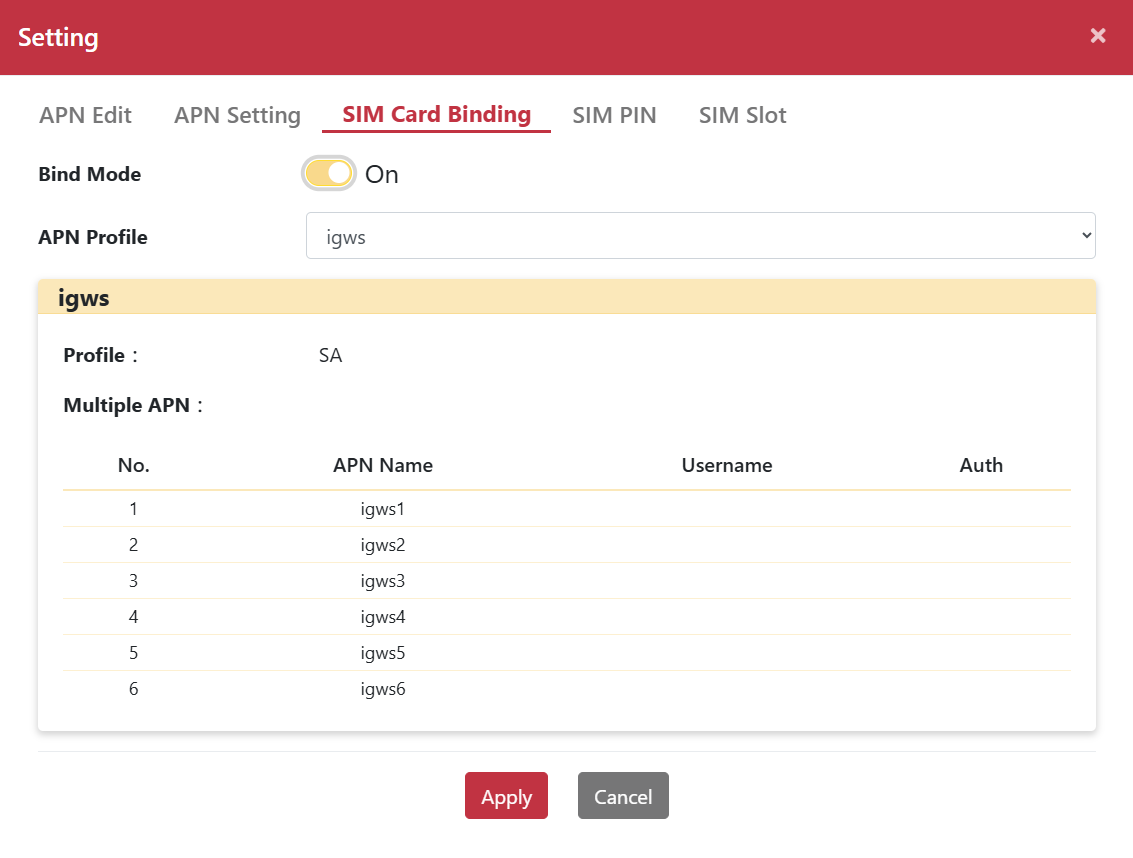
- Click the "Setting" button to pop up the Setting dialog box.
- Select the SIM Card Binding tab.
- Enable Bind Mode.
- Select the target profile from the Quick Select drop-down menu.
- Click "Apply".
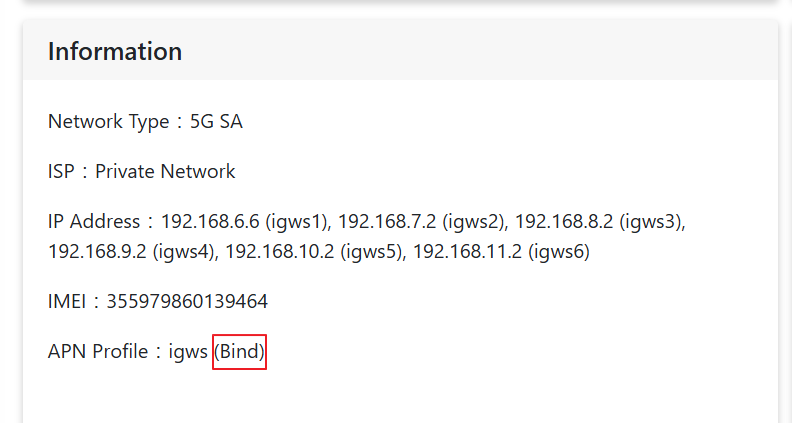
After completing SIM binding, go to Networking > Mobile Network to view the bound IMSI associated with the APN profile.