oosVersion 2.1
Mobile Network
Overview of OOS Mobile Network features, supporting public and private networks, signal status icons, APN configuration, SIM card binding, and SIM PIN management.
Mobile Network
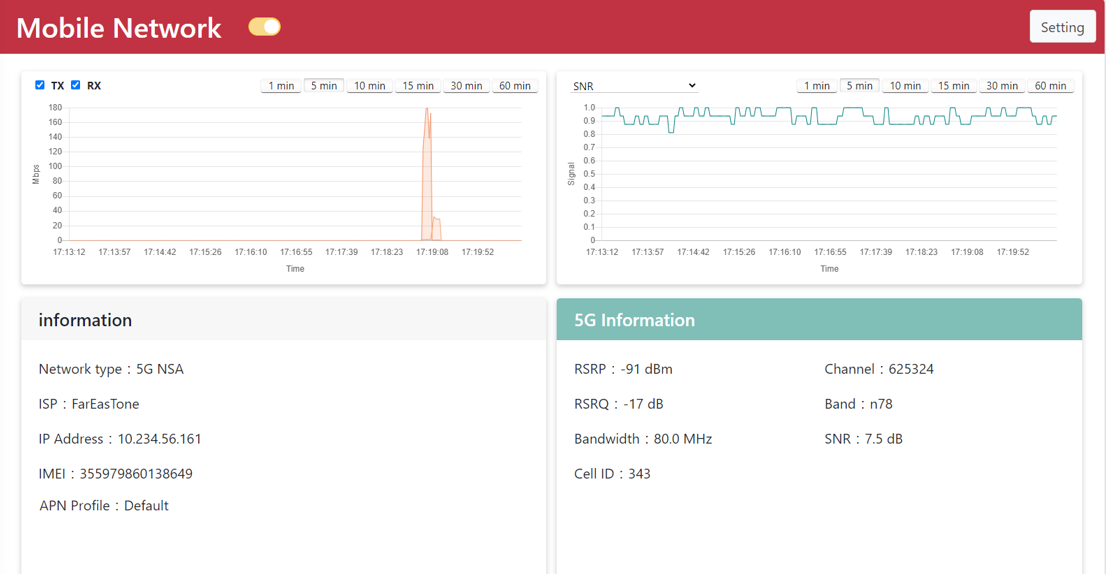
OOS supports joining public cellular networks and private mobile networks, while presenting key cellular parameters on the Mobile Network page.
Information items include Network Type, ISP, IP Address, IMEI, IMSI, and APN Profile.
Different operational scenarios will display specific status details:
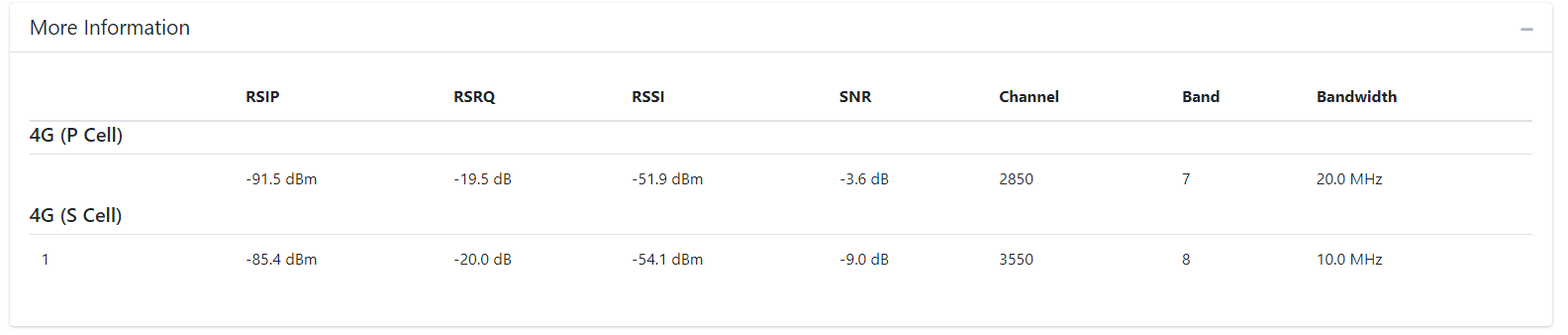
- 5G NSA (Non-Standalone): Combines 5G and 4G LTE connections, providing additional 4G network metrics.
- 5G SA (Standalone): Operates strictly on pure 5G networks.
- LTE: Operates strictly on 4G networks.
Mobile Signal Icons and Status Descriptions
| Icon Item | Rule Description |
|---|---|
| Signal Icon (Working) | Mobile network is connected and operational. |
| Signal Icon (Not Connected) | The SIM card has been read but is not connected to the mobile network. |
| Signal Icon (No IP Address) | Receiving mobile signal but hasn't obtained an IP address. |
| Signal Icon (SIM Locked) | The SIM card is locked by a PIN code. |
| Signal Icon (No SIM) | SIM card is not inserted or detected. |
Key Management Modules Overview
- APN Edit: Configure and save APN profiles for private (SA) and public (NSA) networks to populate the Quick Select menu.
- APN Setting: Apply configured APN profiles to activate cellular connectivity.
- SIM Card Binding: Enable bind mode to link an APN profile to a SIM card's IMSI for automatic configuration upon insertion.
- SIM PIN Management: Manage PIN protection, Auto Unlock configurations, and manual unlocking procedures.