Volume
Manage virtual disk images (QCOW2), uploaded files, and folders for Hypervisors and Containers on the Volume page.
The Volume page allows you to manage disk images and files used by Hypervisors and Containers.
Creating QCOW2 Format Disk Images
QCOW2 (QEMU Copy-On-Write version 2) is a standard virtual disk format used in QEMU, enabling image conversion and virtualization across various platforms and architectures.
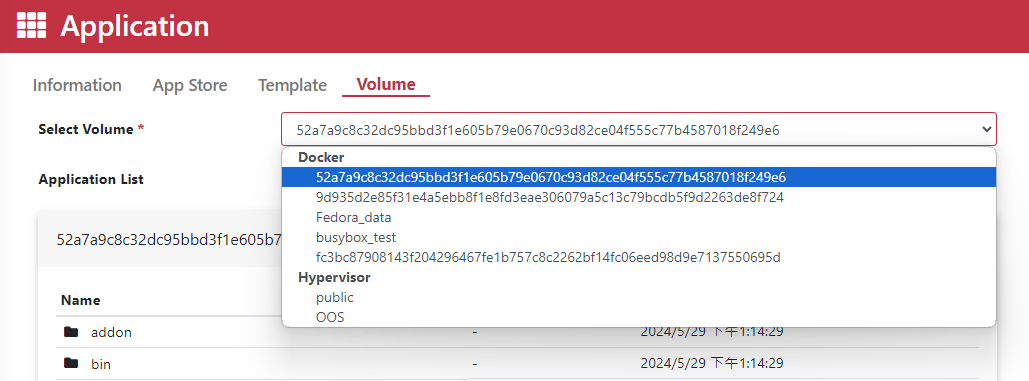
Step 1. Go to the Application > Volume page.
Step 2. Select Hypervisor under the Volume section.
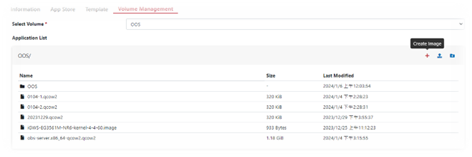
Step 3. Click the Create Image icon.
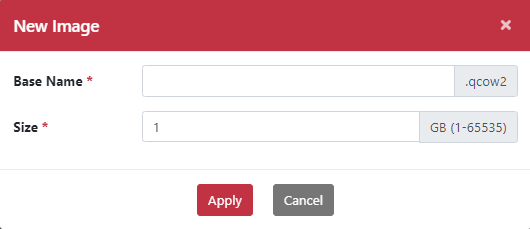
Step 4. Enter the Base Name.
Step 5. Specify the Size.
Step 6. Click the Apply button.
Uploading Files
Step 1. Go to the Application > Volume page.
Step 2. Select Hypervisor under the Volume section.
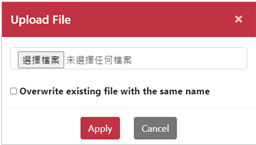
Step 3. Click the Upload icon.
Step 4. Select and upload your file.
Step 5. Click the Apply button.
Creating a New Folder
Step 1. Go to the Application > Volume page.
Step 2. Select Hypervisor under the Volume section.
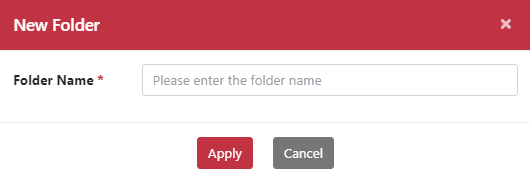
Step 3. Click the New Folder icon.
Step 4. Enter the folder name.
Step 5. Click the Apply button.
Within the created directory, you can generate disk images, import files, and manage directory content.