SNMP
OOS Simple Network Management Protocol (SNMP) manual, covering General settings, MIB Views, Groups, Communities, and SNMPv3 Users.
Simple Network Management Protocol (SNMP) is a widely used network management standard that allows administrators to monitor, manage, and control network devices. It provides a standardized framework for gathering operational metrics and performing system control tasks.
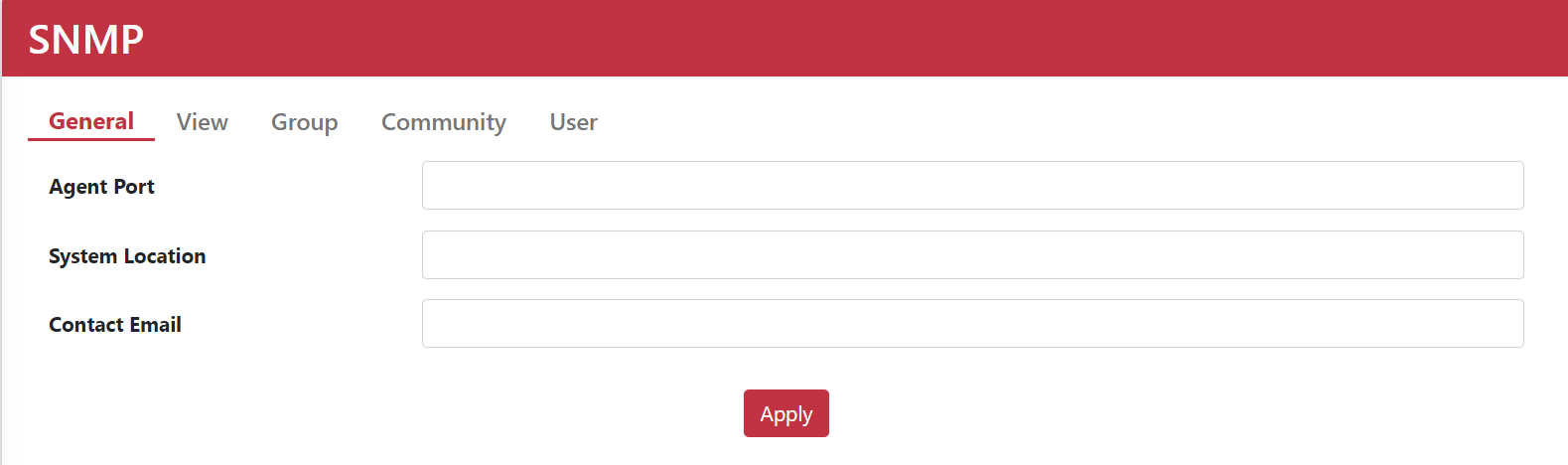
1. General Settings
Configure core SNMP service details, including port number, system location, and contact email.
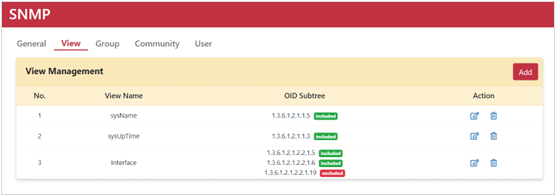
2. View Settings
Administrators can create MIB views and specify which OID (Object Identifier) subtrees to include or exclude.
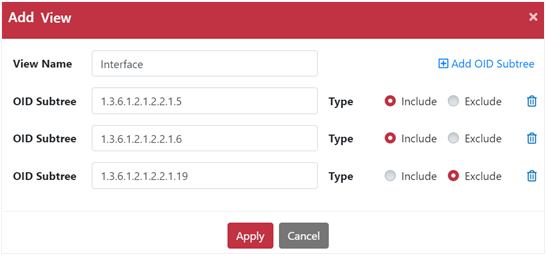
Adding a MIB View
| Parameter | Description |
|---|---|
| View Name | Enter a name for the MIB view. |
| OID subtree | Enter the OID string to include or exclude. |
| Include | Include the specified OID subtree. |
| Exclude | Exclude the specified OID subtree. |
| +Add OID subtree | Click to append additional OID subtrees to the view profile. |
3. Group Settings
Administrators can group SNMP users and assign authentication levels and access permissions per group.

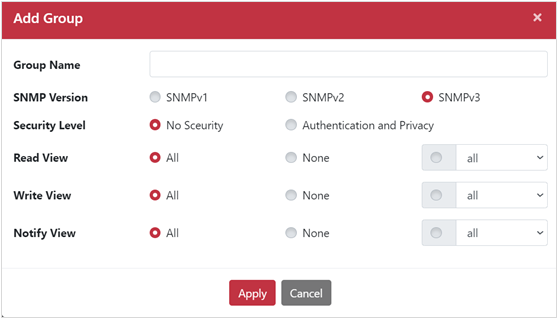
Adding a Group
| Parameter | Description |
|---|---|
| Group Name | Enter the group name. |
| SNMP Version | Select the SNMP version (SNMP v1, SNMPv2, or SNMPv3). |
| Security Level | For SNMPv3, select No Security (no authentication/encryption) or Authentication and Privacy (authenticated & encrypted transmission). |
| Read View | Default is All, granting read access to all MIB views. |
| Write View | Default is All, granting write access to all MIB views. |
| Notify View | Default is All, allowing notifications for all MIB views. |
4. Community Settings
Configure SNMP community strings to manage read or read/write access.
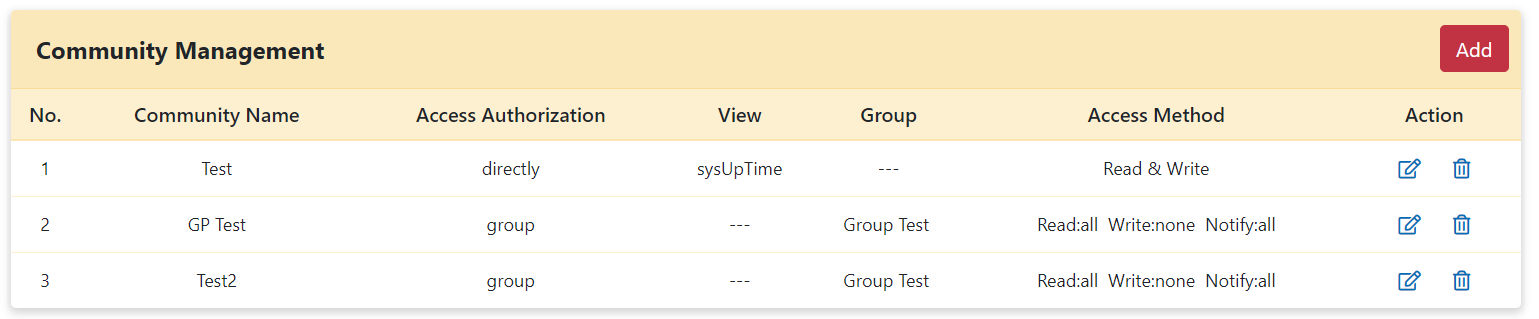
Adding a Community
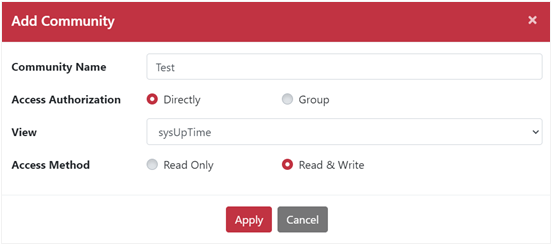
| Parameter | Description |
|---|---|
| Community Name | Enter the community name. |
| Access Authorization | Choose Directly (specify views directly) or Group (inherit from an existing group). |
| View | Select a MIB view from the drop-down menu. |
| Access Method | Choose Read only or Read & Write. |
5. User Settings
SNMPv3 user configurations enforce authentication and privacy parameters to verify packet integrity and confidentiality.

Adding a User
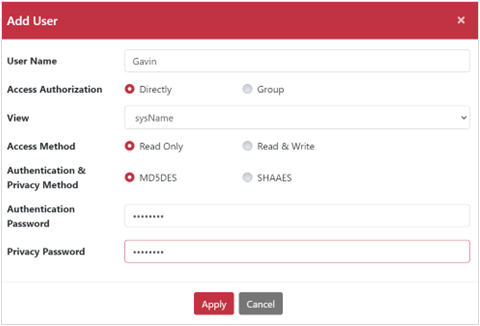
| Parameter | Description |
|---|---|
| User Name | Enter the user name. |
| Access Authorization | Choose Directly or Group. |
| View | Select a MIB view profile from the drop-down list. |
| Access Method | Choose Read only or Read & Write. |
| Authentication & Privacy Method | Select MD5DES (MD5 authentication + DES encryption) or SHAAES (SHA authentication + AES encryption). |
| Authentication Password | Enter the authentication password. |
| Privacy Password | Enter the privacy encryption password. |