oosVersion 2.1
iSCSI Initiator
OOS iSCSI Initiator manual, detailing target discovery, IQN mapping, authentication, and container storage mounting.
iSCSI (Internet Small Computer System Interface) is a protocol that runs SCSI commands over TCP/IP networks, allowing client devices to access remote block-level storage across a Storage Area Network (SAN). It provides a cost-effective and scalable solution for using remote storage as if it were directly attached local disks.
Setting Up iSCSI Initiator
- Create an iSCSI Target on the remote storage server.
- Go to Settings > iSCSI Initiator.
- Click the Add button.
- Enter the Name and select the Authentication mode.
- Enter the target server IP and port, then click Discovery to detect available Portals and IQNs.
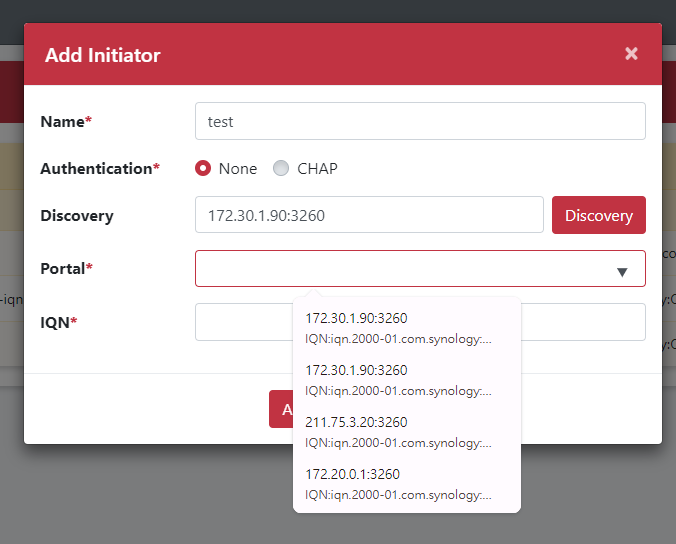
- Select or enter the Portal (format:
IP:Port). - Select or enter the IQN (suggested format:
iqn.YYYY-MM.com.reversed.domain[:optional_string]). - Click the Add button.
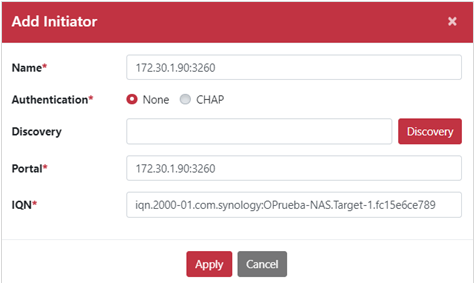
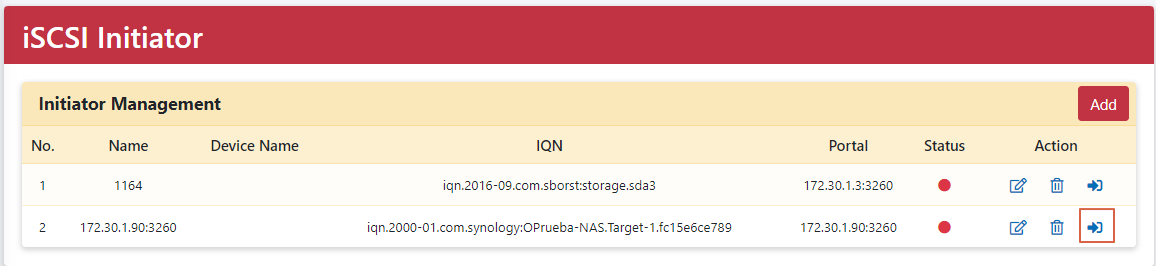
- Click the Login icon to connect.
Upon successful connection, the status indicator turns green.
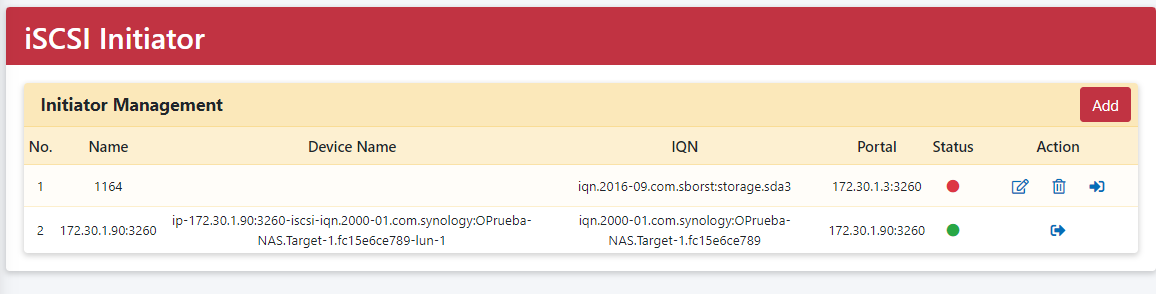
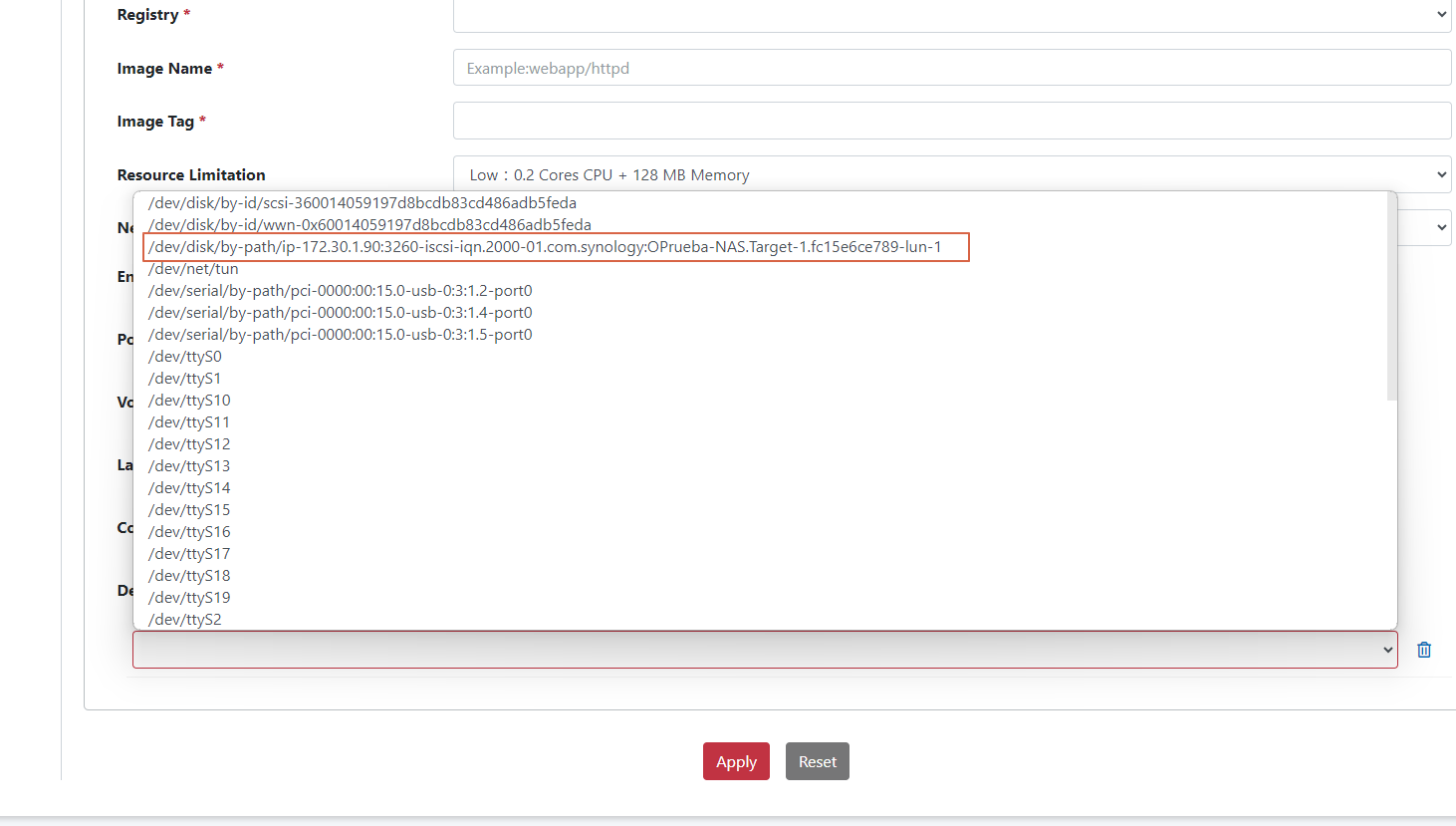
- Go to Application > Template > Container > Add Template. Under the Add device option, select the mapped iSCSI device name.
Parameter Definitions
| Parameter | Description |
|---|---|
| iSCSI Initiator | Client device that initiates requests to access storage on an iSCSI target. |
| iSCSI Target | Server storage resource (such as a disk or LUN). |
| CHAP (Challenge-Handshake Authentication Protocol) | Authentication mechanism verifying initiator and target identities to secure connections. |
| Discovery | Feature to scan and find remote iSCSI targets and portals on the network. |
| Portal | The network address and port (IP:Port) used to reach an iSCSI target. |
| IQN (iSCSI Qualified Name) | Worldwide unique identifier format for naming iSCSI entities on a network. |
| Device Name | The system device identifier made available in container templates once logged into a target. |