oosVersion WiFi Connectivity
Wi-Fi Connectivity
Troubleshooting Wi-Fi connectivity
Wi-Fi Connectivity
OOS Uses Wi-Fi Client Mode, but Client Devices Cannot Reach the Internet
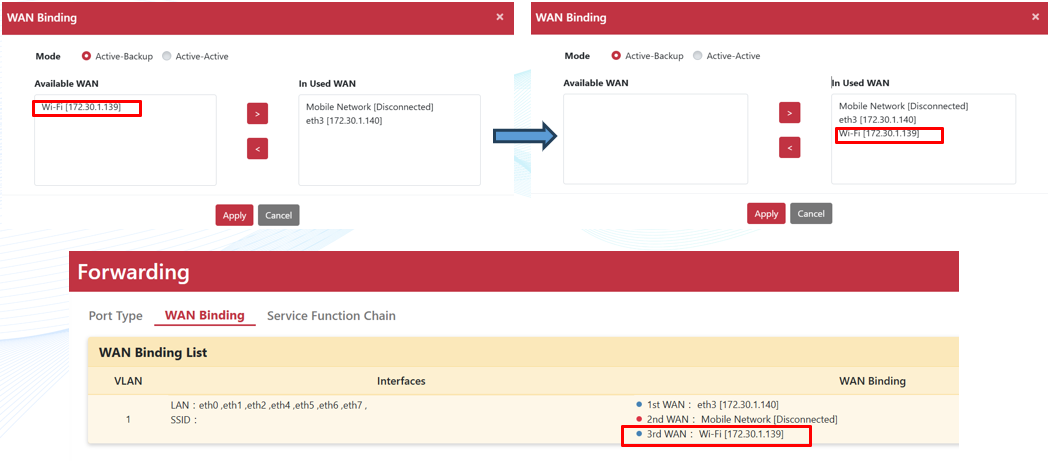
When OOS uses Wi-Fi client mode as the WAN for client internet access, bind the Wi-Fi interface to the active WAN for the relevant VLAN:
- Go to
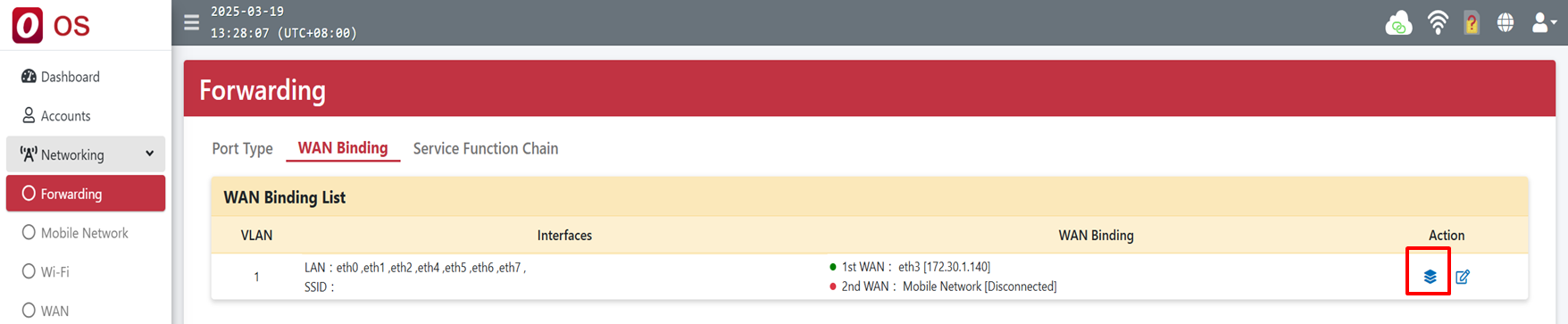
Networking > Forwarding > WAN Binding. - Click the bind icon in the Action column.
- Move Wi-Fi from Available WAN to In Used WAN.