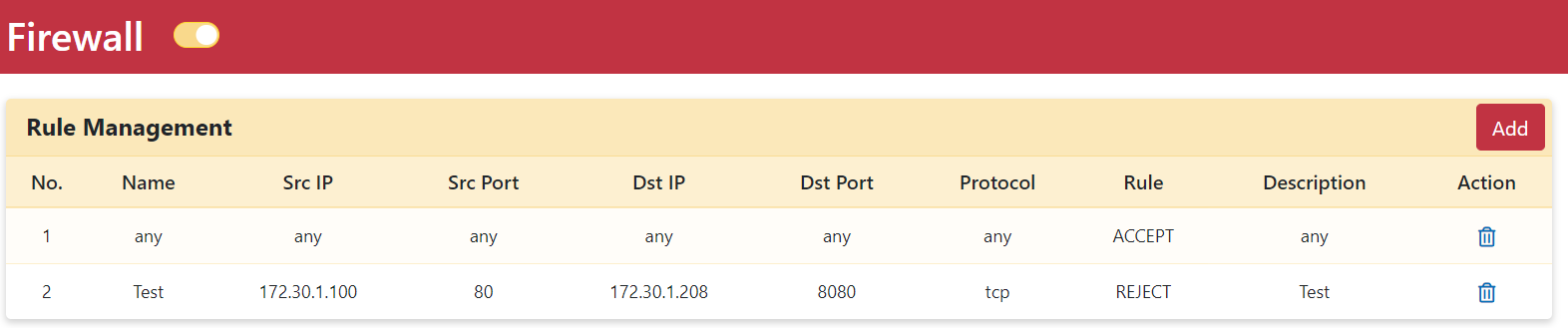
Firewall
Configure network security rules, protocol filtering, and traffic actions (Accept, Reject, Drop) on the Firewall page.
The Firewall page provides essential security options to control network traffic flow. By configuring source and destination IP addresses and ports, you can determine exactly which traffic is permitted across your network.
Supported protocol choices include Any, TCP, and UDP. Selecting "Any" passes all protocols through the firewall rule.
Traffic management actions include:
- Accept: Allows matching traffic through the firewall.
- Reject: Blocks matching traffic and returns an explicit rejection response to the sender.
- Drop: Silently discards matching traffic without notifying the sender.
These actions offer precise rule control to permit authorized traffic while suppressing potential security threats.
Setting Up a Firewall Rule
Step 1. Go to the Security > Firewall page.
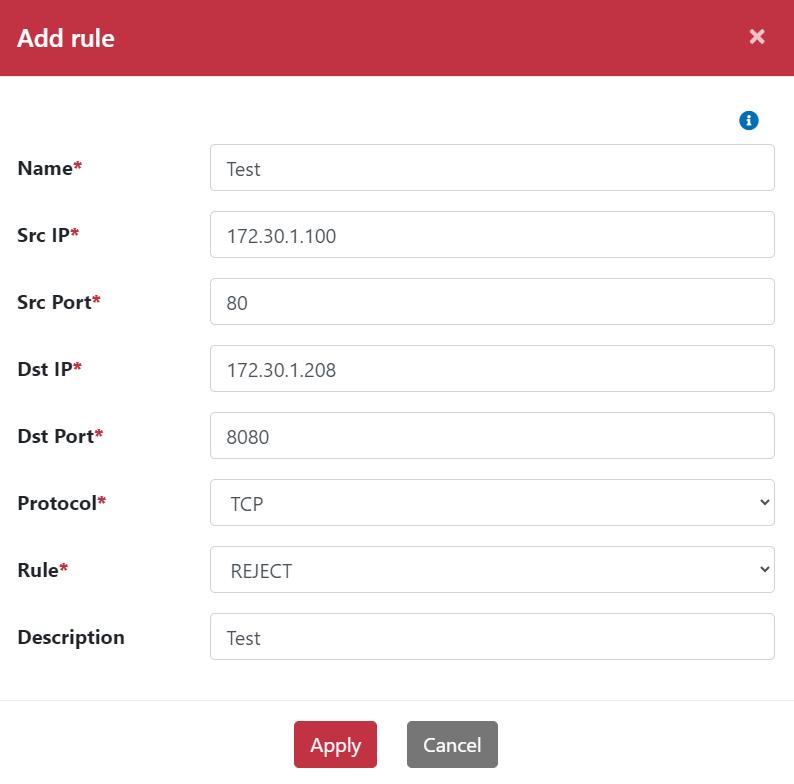
Step 2. Click the Add button to display the Add rule dialog.
Step 3. Enter a rule name.
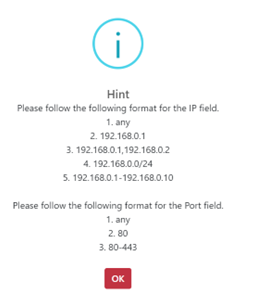
Step 4. Configure source IP addresses and ports.
Step 5. Configure destination IP addresses and ports.
Step 6. Select the target Protocol.
Step 7. Select the rule action (Accept, Reject, or Drop).
Step 8. Click the Apply button.
 |  |
|---|
Created rules will be listed in the Firewall rule table: