Settings
Configure system behavior, account preferences, reporting frequency, and administrative actions in OrpheLink.
The Settings module in OrpheLink allows users to configure system behavior, account preferences, reporting frequency, and perform administrative actions based on their role.
User Roles and Access
There are three user roles with different levels of access:
- Personal User: Limited to personal account management and agent reporting configurations. A single user who manages their own account and devices only, and cannot create or manage other users.
- Business User: Has permission to create and manage multiple user accounts under the same organization. Suitable for teams that collaboratively manage devices and system settings.
- System Administrator: Full access to all system-level configurations, user activity logs, network settings, and backup tools.
Feature Access Matrix
| Setting Section | Personal User | Business User | System Administrator |
|---|---|---|---|
| Account | ✓ | ✓ | ✓ |
| Report Mode | ✓ | ✓ | ✓ |
| Company Info | ✓ | ✓ | |
| Network Setting | ✓ | ||
| Activity Logs | ✓ | ||
| Backup & Restore | ✓ |
Account Settings
Account settings vary depending on the user role.
Personal User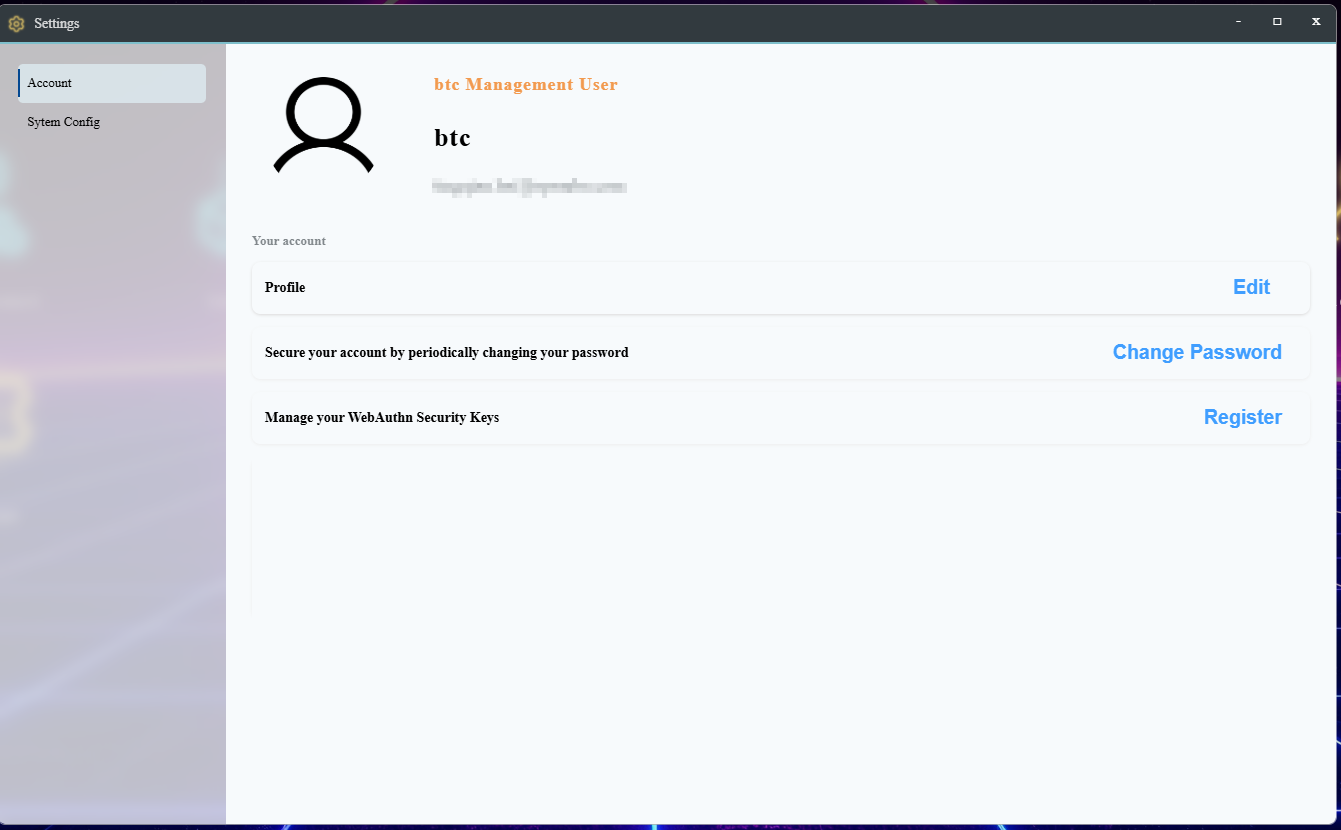
Business User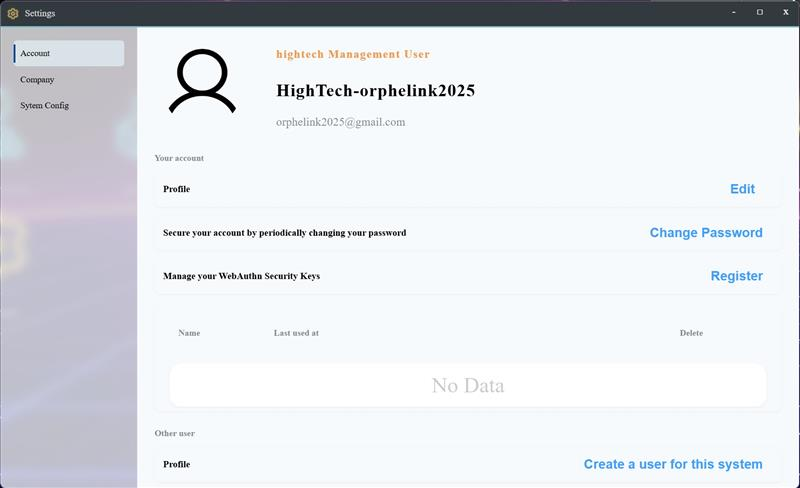
System Administrator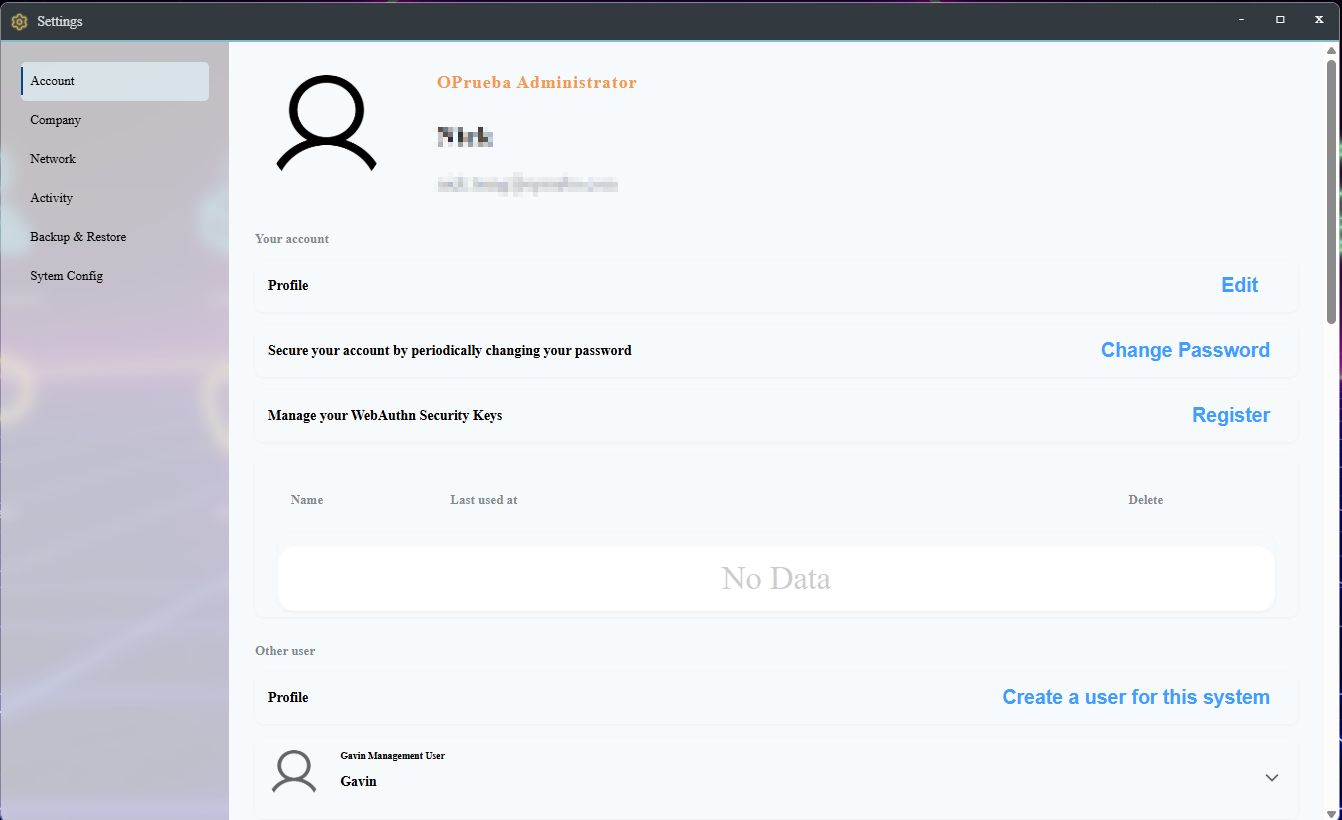
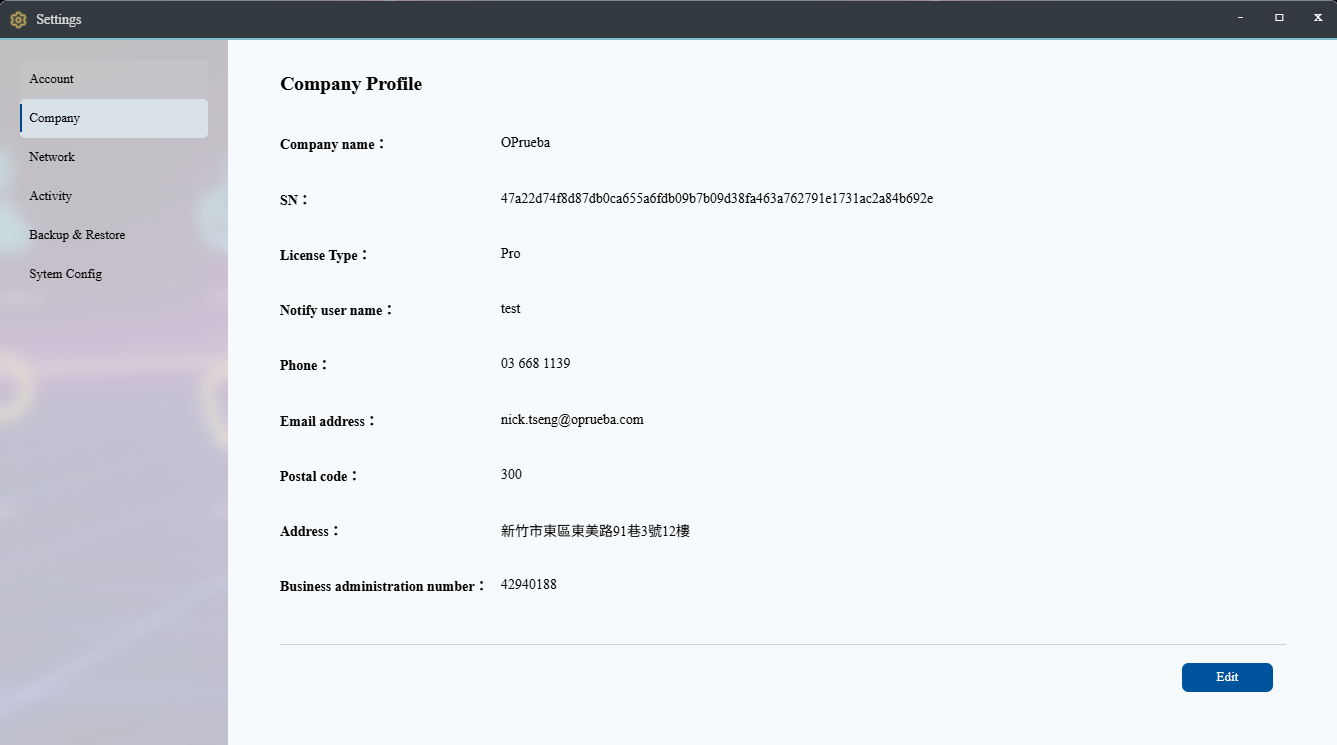
Company Information
Manage the company profile, including the company name, contact information, and relevant organizational settings.
Networking
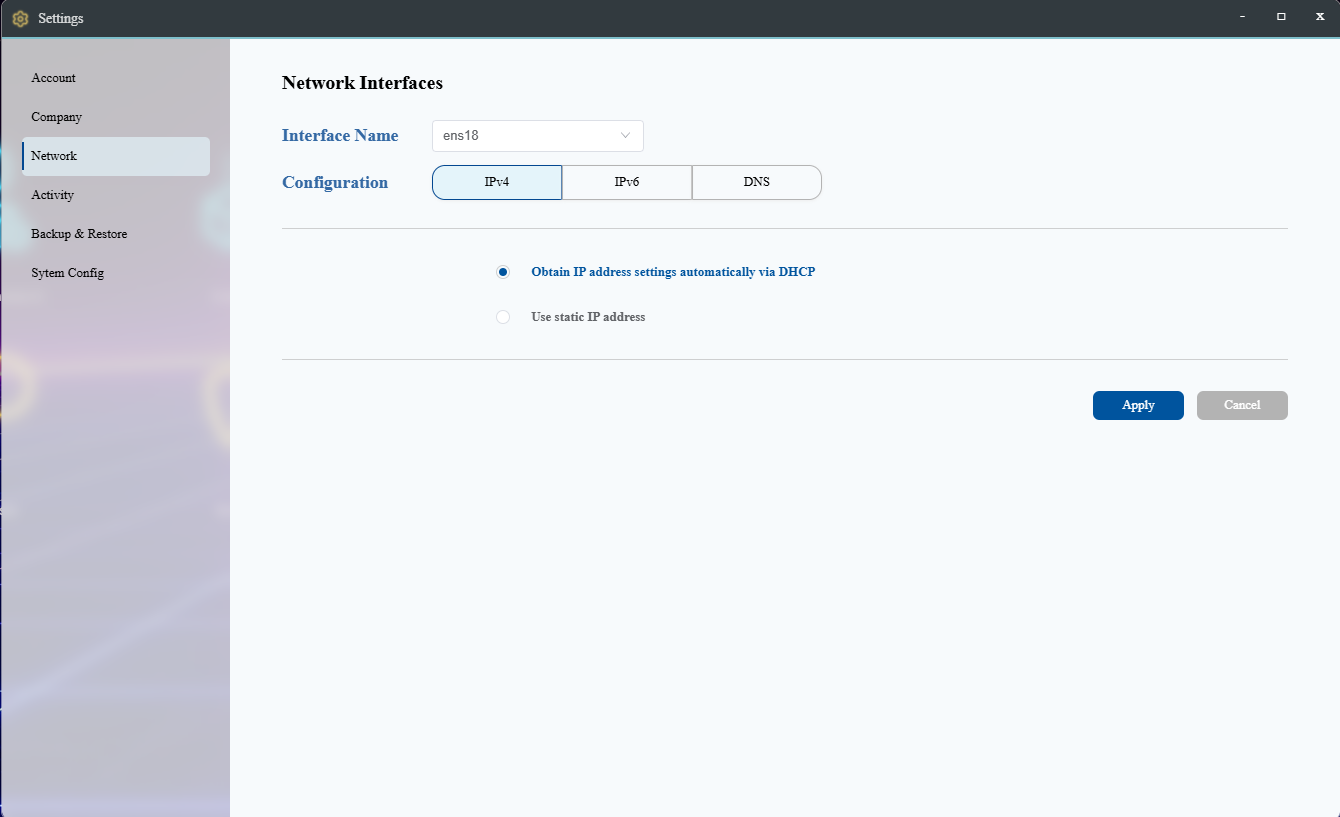
The OrpheLink networking settings allow configuration for IPv4, IPv6, and DNS.
Activity Logs
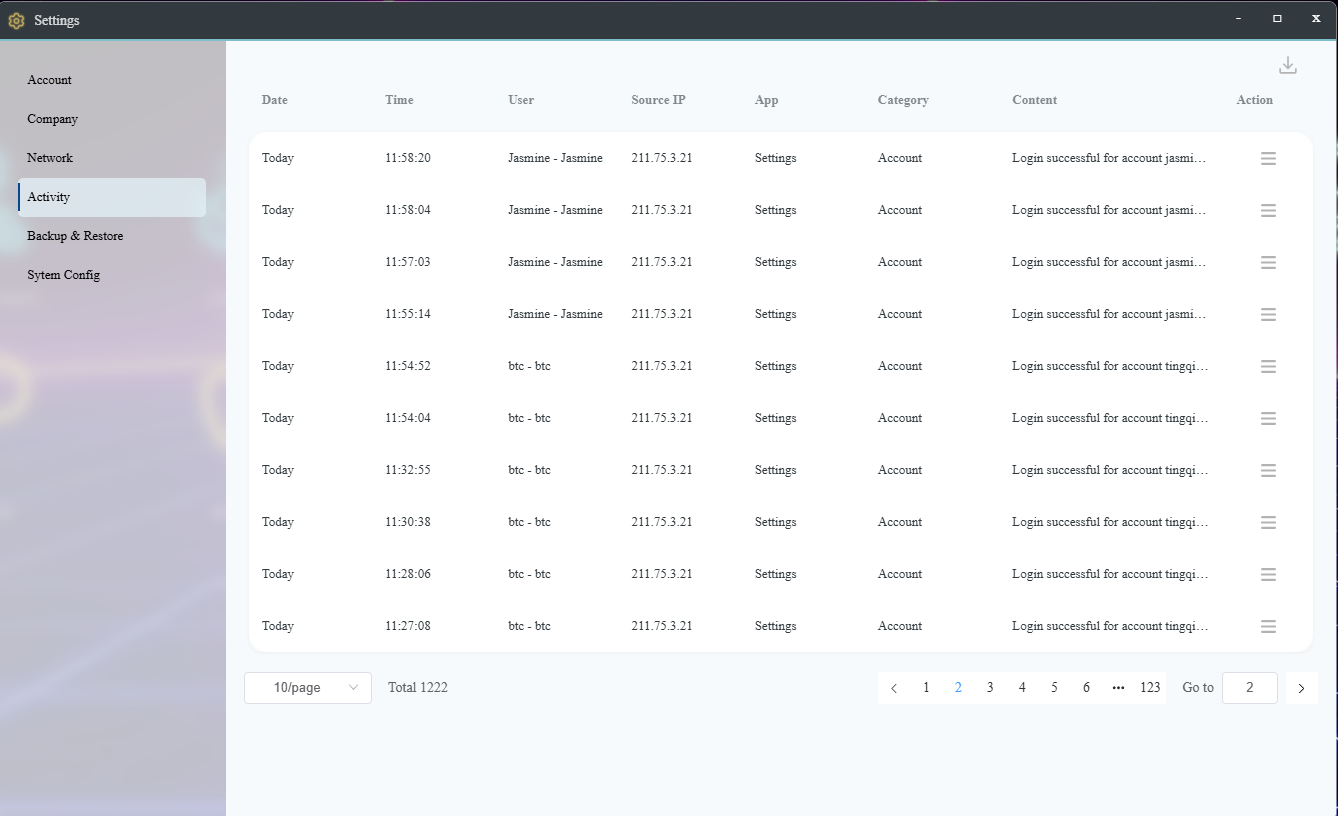
The activity log displays internal events in OrpheLink, including security events, provisioning, SD-WAN, settings changes, account operations, backup and restore actions, upgrades, and more.
Backup and Restore
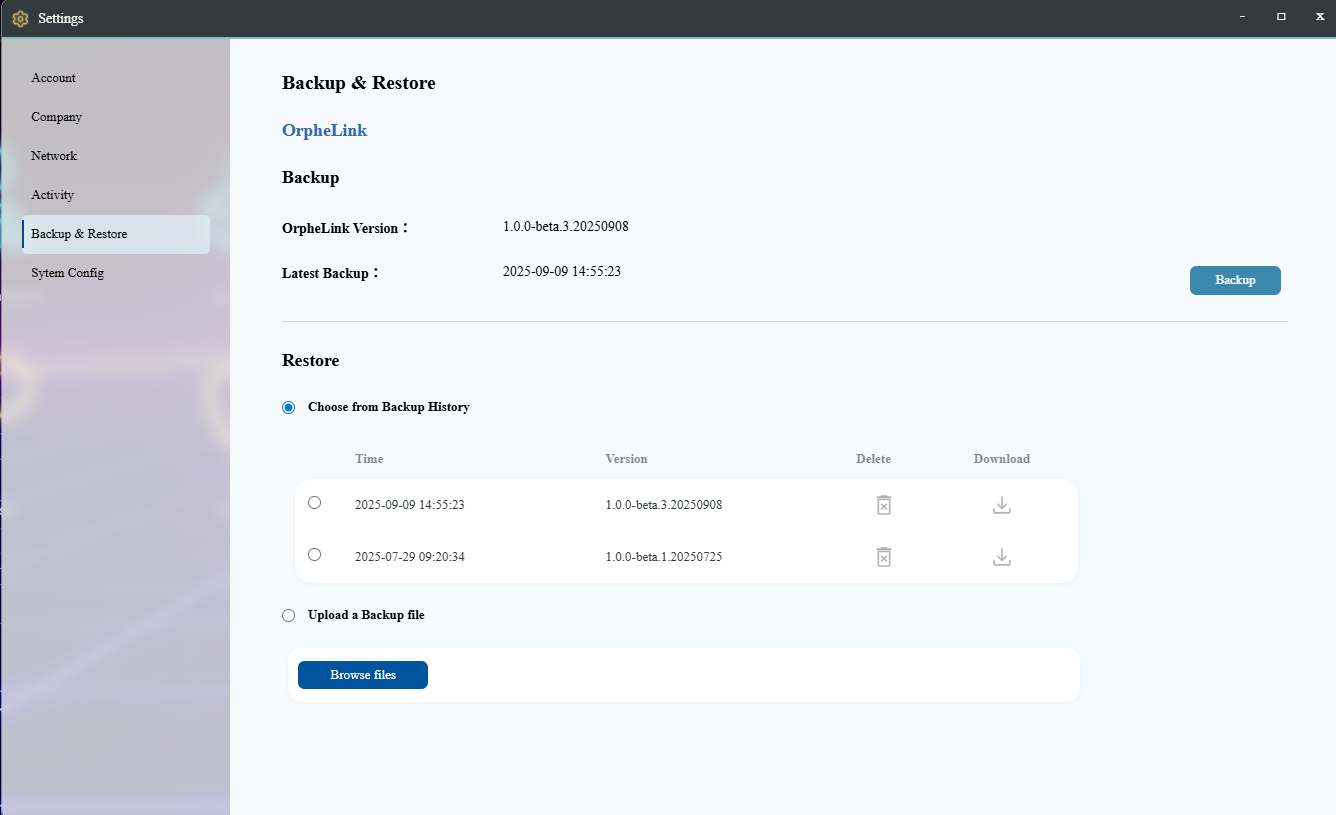
The Backup and Restore page allows administrators to back up the OrpheLink system. Click the Backup Now button to generate and save a backup file. Up to four backup files can be stored. The restore option allows you to select from existing backup files or upload a backup file for system restoration.
Report Mode Configuration
Configure how logs and reports are transmitted from the agent to OrpheLink.
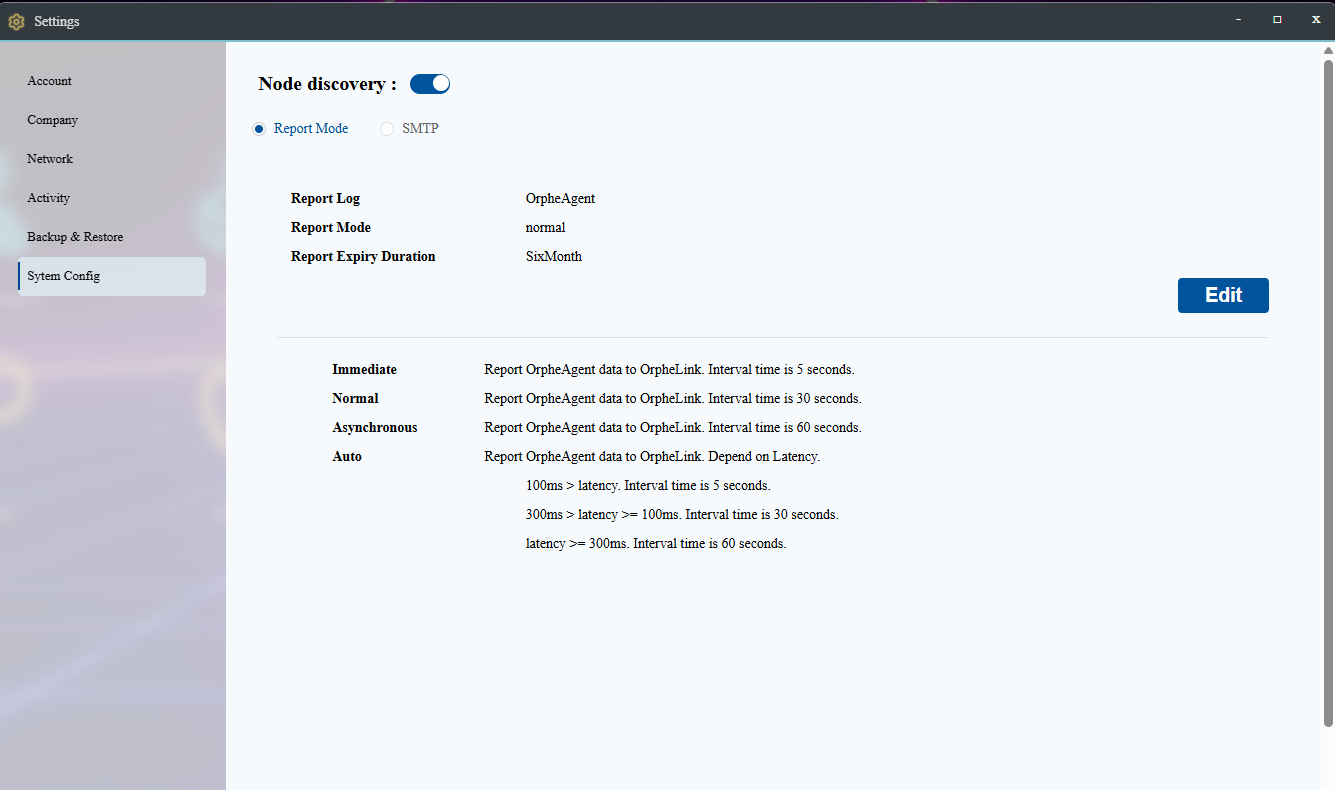
- Report Log: Allows selecting the types of OrpheAgent logs and customizing which logs to transmit to OrpheLink.
- Report Mode: Configures the interval for sending OrpheAgent information to OrpheLink:
- Immediate: Sends data every 5 seconds.
- Normal: Sends data every 30 seconds.
- Asynchronous: Sends data every 1 minute.
- Auto: Adjusts the transmission interval based on latency.
- Retention Period: Defines the schedule for log compression. Compressed logs will remain in the system and be retained for up to one year. Logs retained for more than one year will be purged automatically.