OpenWrt
Install, provision, and manage OrpheAgent on OpenWrt/LEDE.
Install and Provision OrpheAgent on OpenWrt
This guide covers the differences between the OpenWrt and Universal OpenWrt packages, installation of OrpheAgent and the optional LuCI Web UI, provisioning, dependencies, and service management.
Step 1: Download the Latest Release
- Download the file to your device from the O'Prueba website.
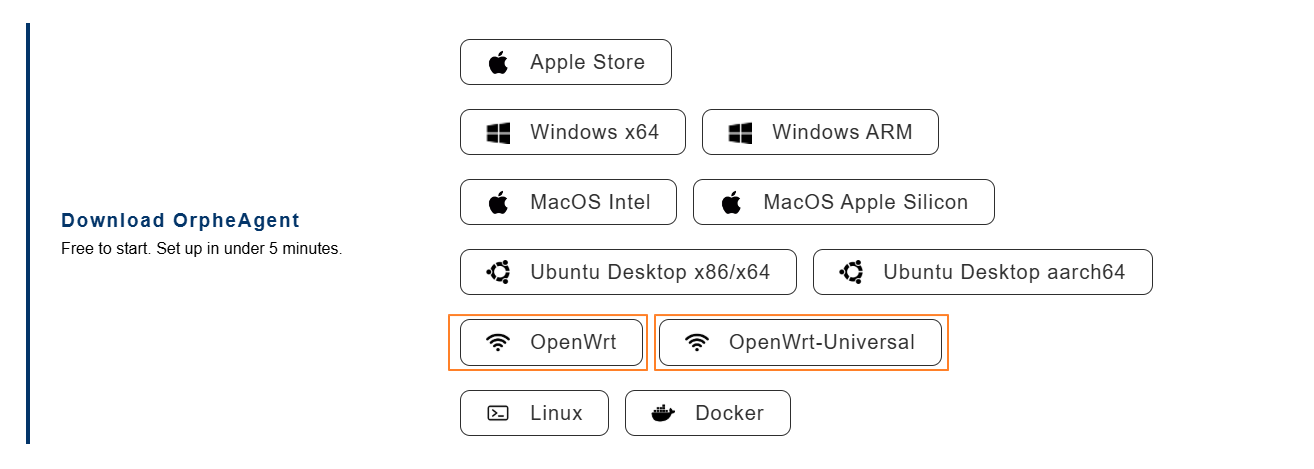
| Item | OpenWrt | Universal OpenWrt |
|---|---|---|
| UCI API Dependency | ✅ Yes — relies on UCI | ❌ No — operates without UCI |
| LuCI Web Interface Support | ✅ Fully supported | ❌ Not required |
| Target Environment | Official OpenWrt builds | Custom or forked OpenWrt builds |
| Flexibility | Moderate | High |
| Ease of Integration | Quick setup with official systems | Ideal for OEMs/ODMs or modified stacks |
| Suitable for | General users, light integrations | Advanced developers, system integrators, OEMs/ODMs |
Step 2: Generate a Provision Key in OrpheLink
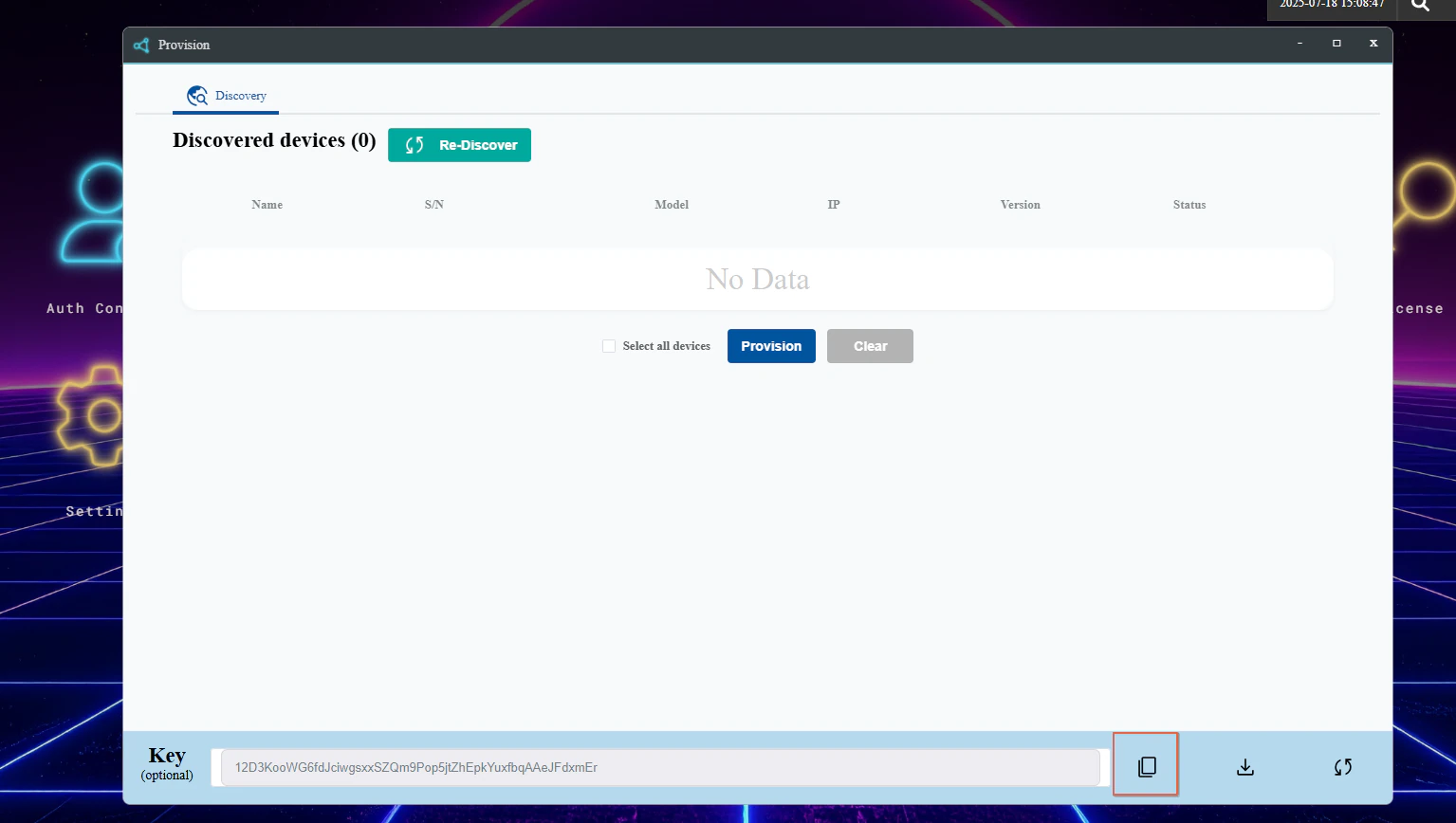
- Log in to OrpheLink and navigate to the Provision page.

- Generate and copy a new Provision Key for your device.
Step 3: Install OrpheAgent and the LuCI Web UI on the Device
- Copy the downloaded IPK packages (for example,
orphe_agent_1.1.3_<ARCHITECTURE>.ipkandluci-app-orphe-agent_1.1.3.ipk) to your OpenWrt/LEDE device. - Install the packages using the following commands:
opkg install orphe_agent_1.1.3_ARCHITECTURE.ipk
opkg install luci-app-orphe-agent_1.1.3.ipk
!NOTE The LuCI package is optional but provides a graphical interface for configuration and monitoring via the router's web UI.
- The installation scripts will automatically set up the necessary files, create the
orphe-agentgroup if needed, and enable the service. - After installation, log in to the LuCI web interface and find the OrpheAgent section in the menu to access configuration and status pages.
Installation Example
To install the package for the armhf architecture:
opkg install orphe_agent_1.1.3_armhf.ipk
Step 4: Register the Provision Key
- Run the following command and paste your Provision Key:
orphe-agent config save --provision-key [YOUR PROVISION_KEY]
- You will see output similar to:
Saved configuration at /etc/orphe-agent/orphe-agent.yaml
To edit the config run:

        sudo nano /etc/orphe-agent/orphe-agent.yaml

Restart the OrpheAgent to apply the new configuration.

To restart the OrpheAgent run:

        sudo orphe-agent down
        sudo orphe-agent up

Do you want to restart the OrpheAgent now? (yes/no): yes
Restarting OrpheAgent...
- When prompted
Do you want to restart the OrpheAgent now? (yes/no):, typeyesto let OrpheAgent automatically restart and apply the new configuration.
Step 5: Discover and Provision the New Agent in OrpheLink
- Return to the OrpheLink Provision page and click Re-discover. The new agent will appear in the device list.
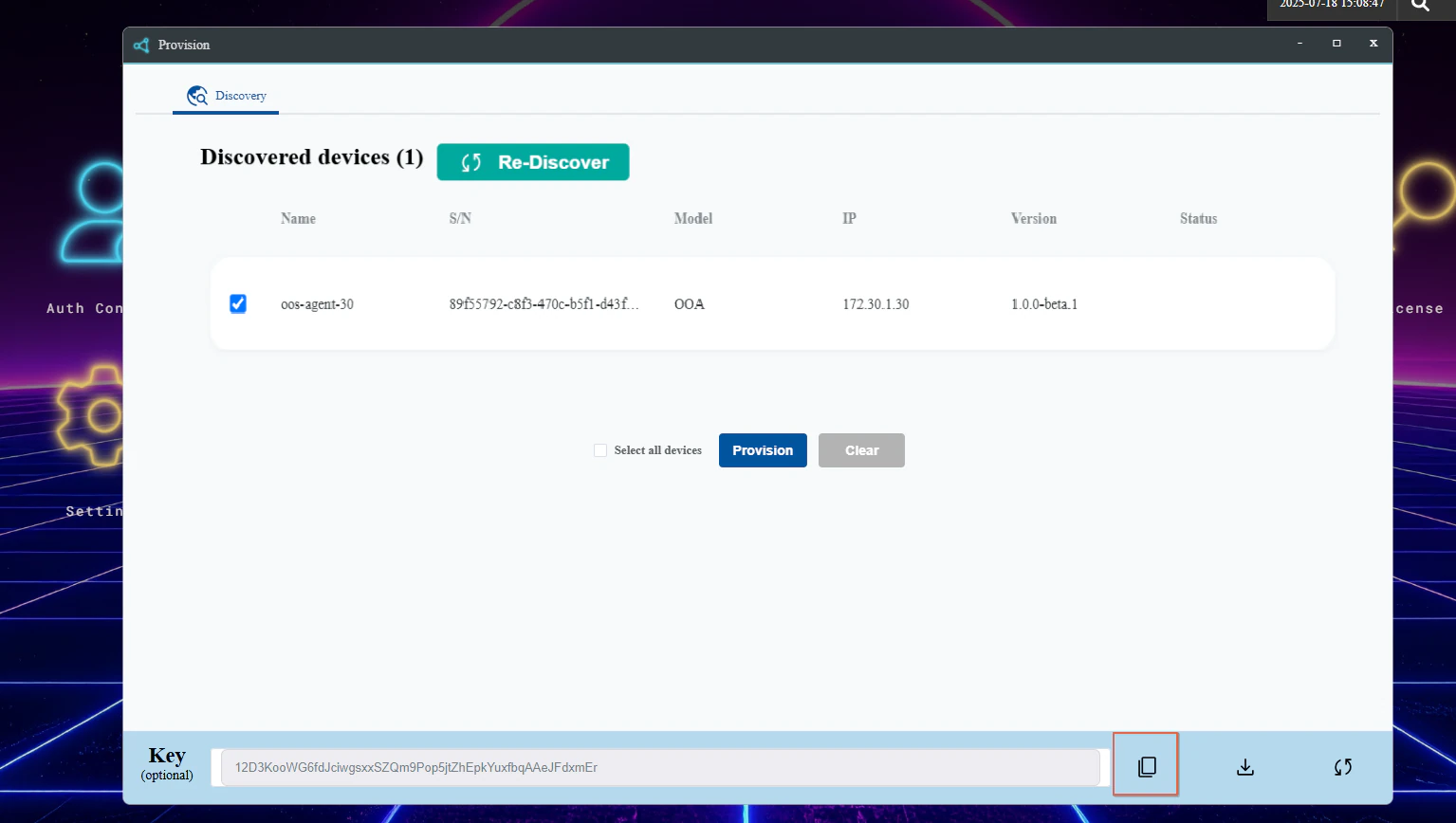
- Select the OrpheAgent device, then click the Provision button at the bottom to let OrpheLink take over management.
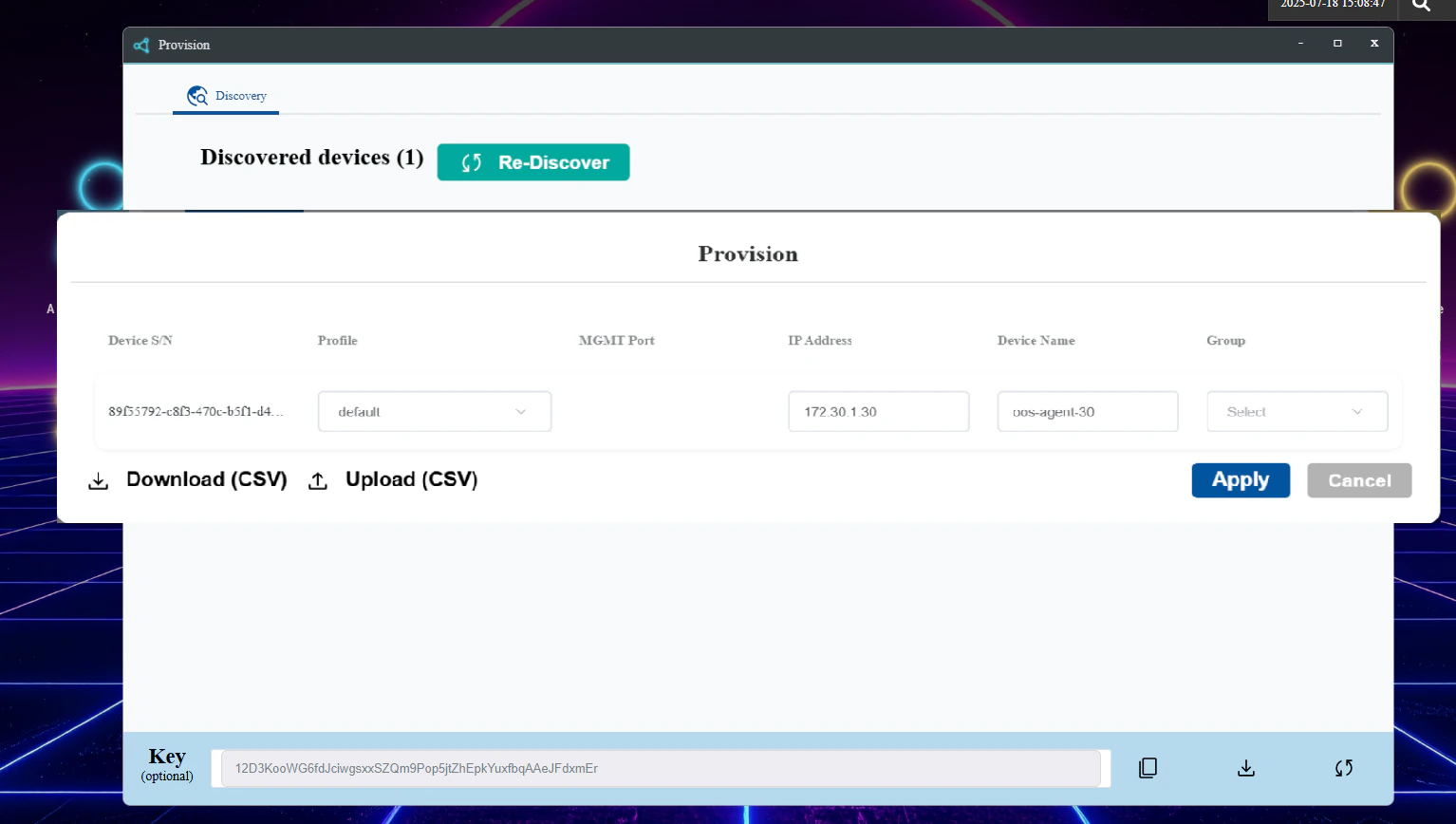
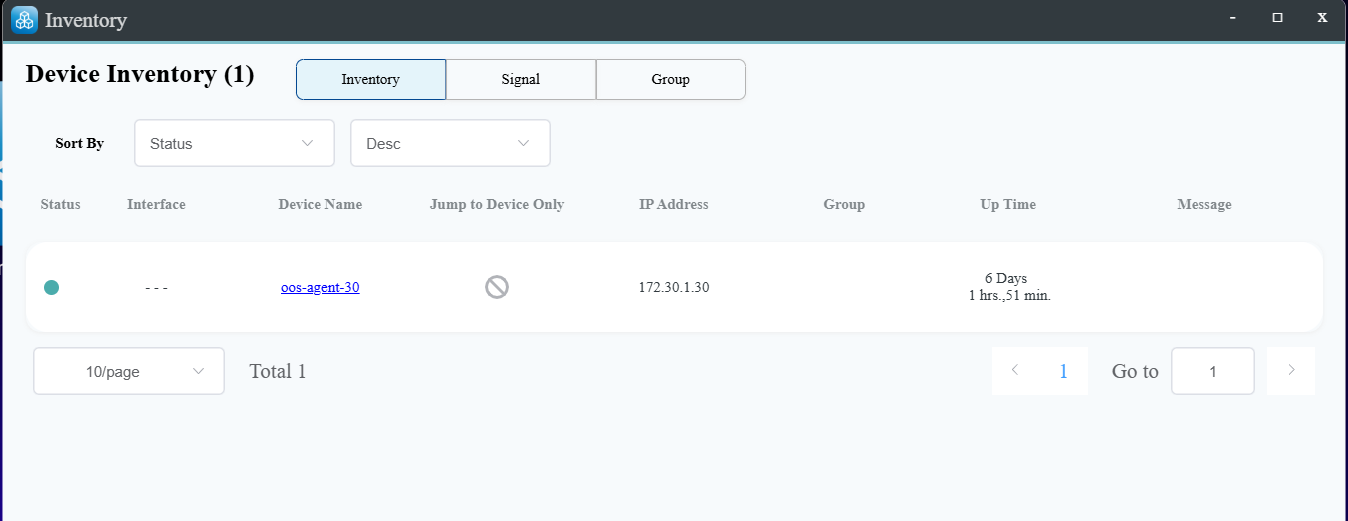
- After provisioning succeeds, verify that the device appears on the OrpheLink Inventory page.
Dependencies
To ensure all features work as intended, review the required and suggested dependencies below for the packages you install.
orphe_agent_1.1.3_<ARCHITECTURE>.ipk
These dependencies enhance OrpheAgent's networking capabilities and compatibility on OpenWrt/LEDE devices:
ip-full: Provides the complete set ofipcommand utilities for advanced network configuration and management.kmod-tun: Kernel module supporting TUN/TAP virtual network interfaces, essential for tunneling functionality.iptables-nft(oriptables): Used to configure and manage firewall rules, enabling traffic control and security policies.kmod-ipt-nat: Kernel module supporting Network Address Translation (NAT), required for traffic forwarding and isolation.
These dependencies ensure OrpheAgent can properly create tunnels, manage network traffic, and integrate seamlessly with the OpenWrt/LEDE networking stack.
Suggested Dependencies
These packages are optional and intended for advanced use cases. They are not required for basic operation and must be installed manually with opkg when needed. They strengthen authentication between OrpheAgent instances, enabling secure and flexible authentication for site-to-site networking.
ipset: Provides support for managing IP sets, enabling efficient handling of large lists of IP addresses for firewall rules and network filtering.conntrack: Offers connection tracking utilities, allowing inspection and management of active network connections for advanced firewall and NAT operations.kmod-ipt-conntrack: Kernel module that enables connection tracking features iniptables, essential for stateful packet inspection and dynamic firewall rules.
luci-app-orphe-agent_1.1.2.ipk
For the best experience with the LuCI Web UI, ensure these dependencies are present. Most are included on OpenWrt/LEDE systems with LuCI, but installing all is recommended for full functionality:
luci: Provides the core LuCI web interface framework for OpenWrt/LEDE.rpcd: Enables remote procedure calls, allowing backend communication for web UI operations.uhttpd: Lightweight web server required to serve the LuCI interface.orphe-agent: The OrpheAgent binary package, required for backend functionality.lua: Scripting language used by LuCI and its modules.liblua: Lua interpreter library, supporting LuCI scripts.luci-base: Core LuCI libraries and utilities.luci-lib-base: Base library for LuCI modules.luci-lib-nixio: Provides network and system I/O functions for LuCI.luci-compat: Compatibility layer for LuCI modules.curl: Command-line tool for transferring data, used for backend API calls.
!NOTE These dependencies guarantee that the LuCI Web UI can fully manage and monitor OrpheAgent, providing a reliable and user-friendly experience.
Service Management
After installation, OrpheAgent will be set up as an init.d service. You can manage the service using standard OpenWrt/LEDE commands:
- Start the service:
/etc/init.d/orphe-agent start
- Stop the service:
/etc/init.d/orphe-agent stop
- Restart the service:
/etc/init.d/orphe-agent restart
- Enable the service at boot:
/etc/init.d/orphe-agent enable
- Disable the service at boot:
/etc/init.d/orphe-agent disable