oosVersion 2.1
Ping
使用 Ping 檢查網路連線
Ping
Ping 會將封包傳送至指定的 IP 位址並等待回應,用來確認目標是否可連線;同時也會測量往返時間並回報錯誤。
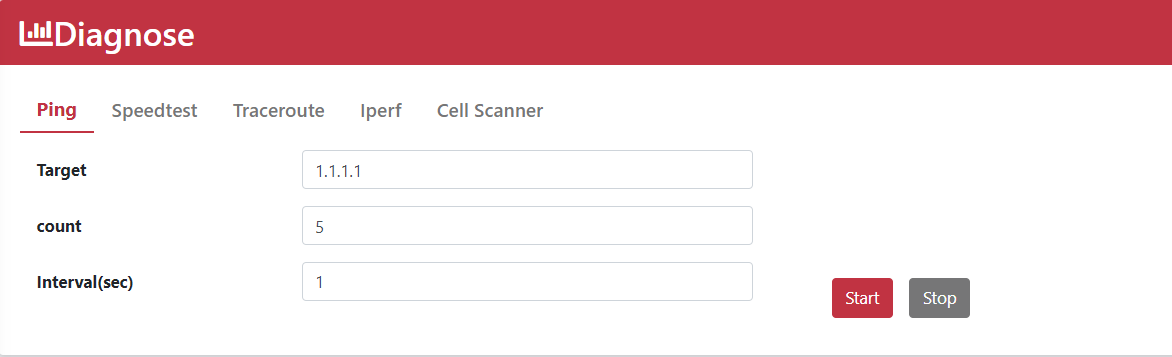
使用 Ping
- 前往
Diagnose > Ping。 - 輸入 IP 位址
1.1.1.1或網域名稱google.com。 - 將 Count 設為
5。 - 將 Interval (sec) 設為
1。 - 點擊 Start。
- 查看 Ping 記錄。
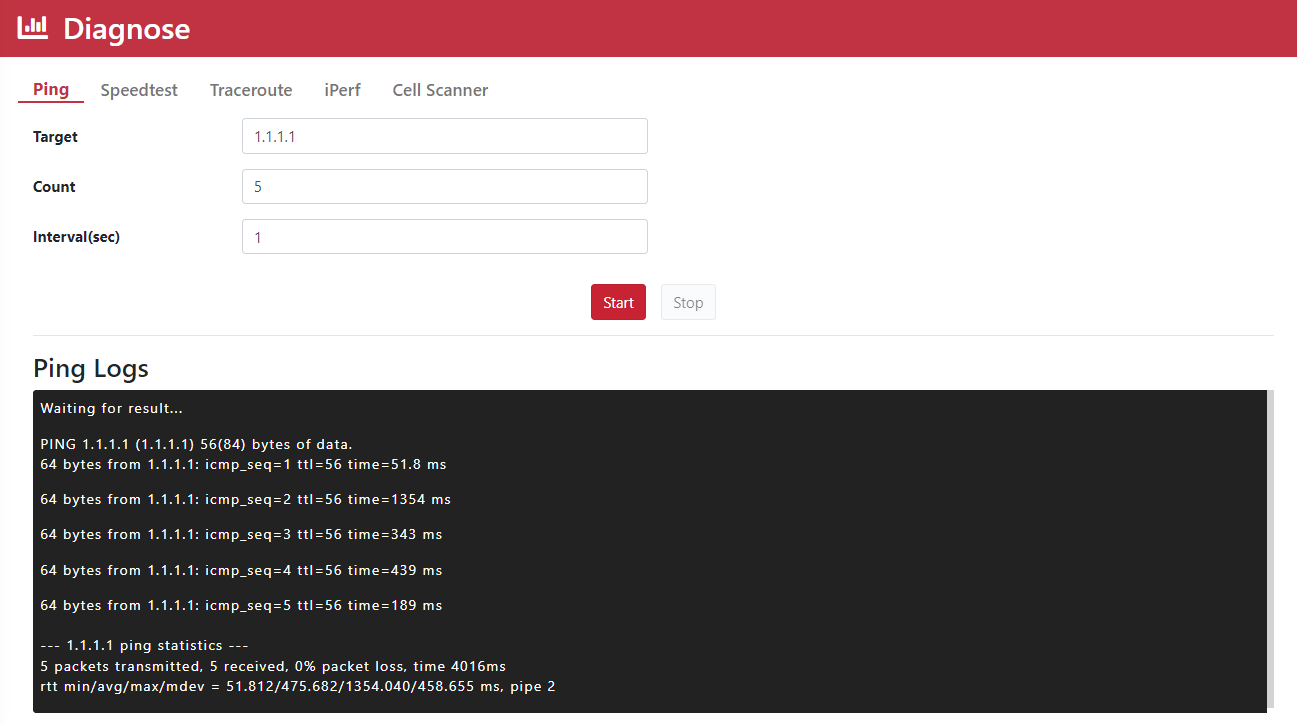
使用 Ping 檢查網路連線
Ping 會將封包傳送至指定的 IP 位址並等待回應,用來確認目標是否可連線;同時也會測量往返時間並回報錯誤。
Diagnose > Ping。1.1.1.1 或網域名稱 google.com。5。1。
我們使用必要 Cookie 維持網站功能;經您同意後,才會使用分析 Cookie 了解網站使用情形。 查看 Cookie 政策